What Is LuminLogic?
Last updated: May 16, 2026
LuminLogic is the an AI-enhanced eQMS and regulatory compliance platform for the Medical Technology Industry. It is intended for medical device companies and regulated industries, and it provides a centralized, auditable environment for managing the documents, processes, and records that regulatory frameworks demand.
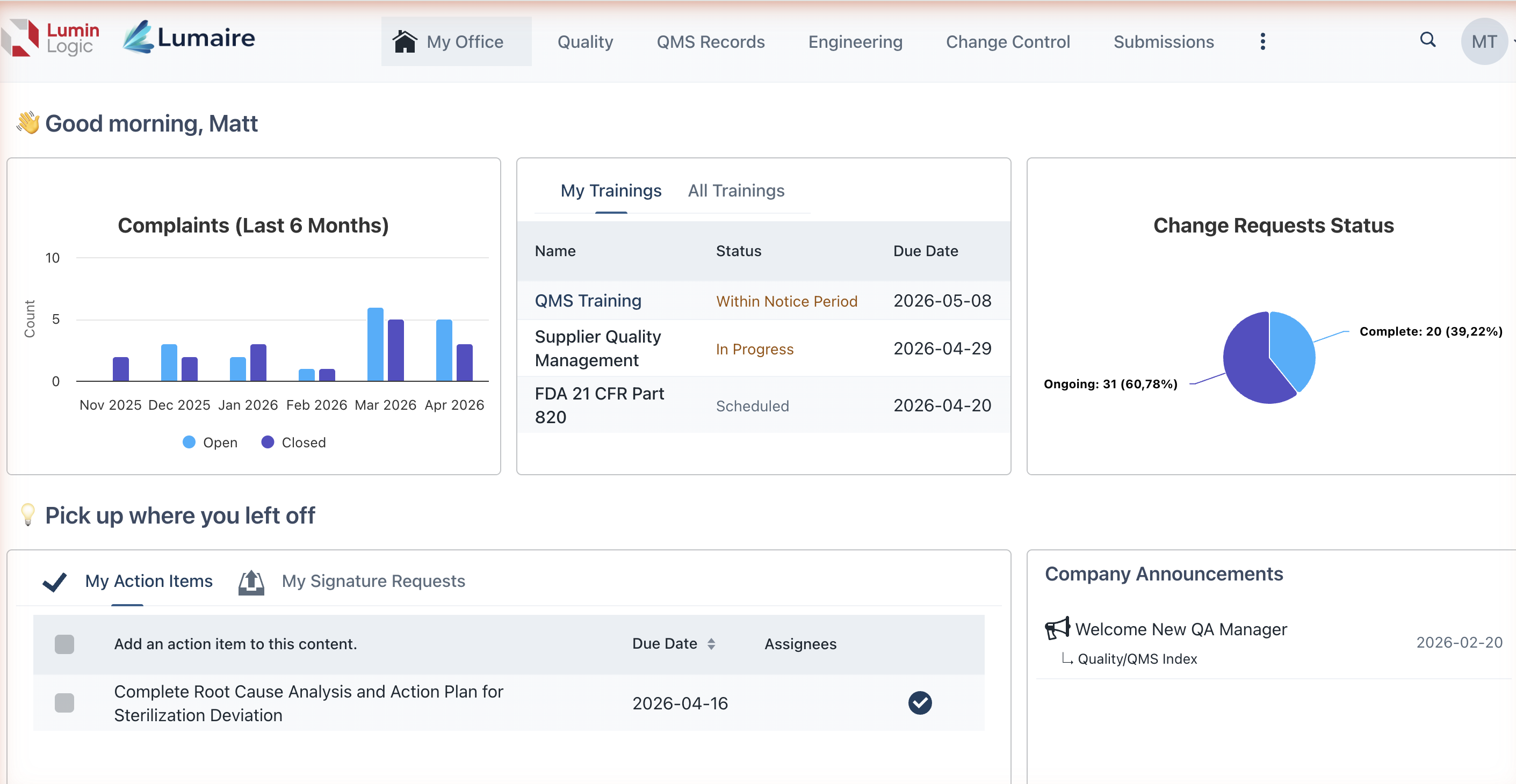
Key Capabilities
LuminLogic brings together the core pillars of a modern QMS in a single platform:
Document Management — Author, review, approve, and control documents with full version history and electronic signatures that are compliant.
CAPA Tracking — Manage Corrective and Preventive Actions from identification through effectiveness checks, with structured workflows and audit trails.
Change Control — Route change requests through configurable approval workflows so every modification is evaluated, documented, and traceable.
Complaint Handling — Capture, investigate, and resolve product complaints with links to related CAPAs, risk assessments, and regulatory reports.
Training Management — Assign training content, track completion, and verify competency.
Traceability Matrices — Map relationships between design inputs and outputs, verification and validation activities, and risk controls to demonstrate the design traceability.
Project Management — Plan and track quality projects, milestones, and deliverables.
Electronic Signatures — Apply legally binding electronic signatures with full compliance support for FDA 21 CFR Part 11 and EU Annex 11, including meaning-of-signature declarations.
AI-Powered Assistance (LuminLogic IQ) — Use built-in AI tools to draft content, analyze project status, summarize documents, and accelerate routine quality tasks.
Designed for Compliance
LuminLogic is built to support compliance with:
FDA 21 CFR Part 820 — Quality Management System Regulation
ISO 13485:2016 — Medical devices quality management systems
ISO 9001 — General quality management systems
FDA 21 CFR Part 11 / EU Annex 11 — Electronic records and electronic signatures
Audit trails, access controls, electronic signatures, and controlled document workflows are built into every area of the platform — not bolted on as afterthoughts.
Configurations: Your Starting Point
When setting up LuminLogic, you can choose a Configuration — a pre-configured template that determines the structure and content types available to your organization:
Fresh Start: A minimal starting point for organizations that want to build their own structure from scratch.
MethodSense Preferred: Based on more than 2 decades of regulatory experience, this setup has everything you need to get your project approved.
MethodSense Preferred (with QMS): Full QMS folder structure aligned to FDA 21 CFR 820 and ISO 13485. Pre-built hierarchy for Quality, Engineering, Regulatory, and all functional areas.
See Setting Up a New Workspace for details on choosing a Configuration during workspace creation.
Functional Areas: The Organizational Backbone
LuminLogic organizes content into Functional Areas — groupings that can mirror the departments or process domains in your organization (e.g., Design Controls, Document Control, Supplier Management, Risk Management). Each Functional Area can contain its own set of documents, records, workflows, and access permissions. Functional Areas appear as tabs in the top bar, giving every user quick access to the areas relevant to their role.

Multi-Language Support
LuminLogic supports eight languages out of the box: English, German, Greek, Spanish, Portuguese, Italian, French, and Japanese. Users can select their preferred language in their profile settings, and the entire interface will display in that language.
Who Uses LuminLogic?
Role | How They Use It |
Quality Managers | Manage CAPAs, oversee document control, run audits, and monitor QMS |
Regulatory Affairs | Track compliance activities, manage change control, and prepare submission documentation |
Executive Leadership | Review dashboards, approve high-level documents, and monitor organizational quality metrics |
General Employees | Complete training assignments, acknowledge documents, submit complaints, and participate in workflows |
Ready to get started? Learn how to log in to LuminLogic or explore navigating the interface.